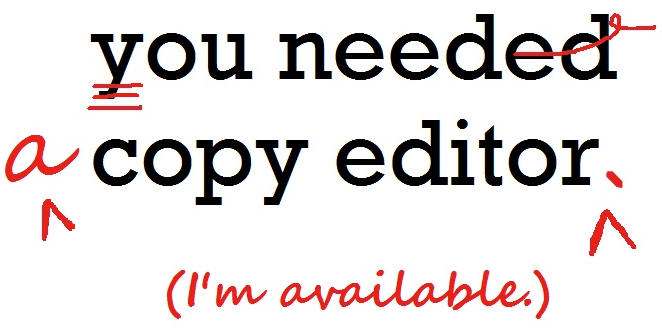
Part of an ongoing campaign to celebrate the wonders of education and professional  development.
—
A basic approach to copy editing. Here’s a rundown of workshop learnings, gathered through SFU’s Certificate in Editing program, led by esteemed professional editor Barbara Tomlin.
For a comprehensive description, check out Professional Editorial Standards, from the Editors’ Association of Canada.
Why Hire a Professional Editor?
Presentation is everything. Effective and precise communication is all! Also, versatility, time, money, clarity, and good looking docs go a long way!
What is Copy Editing?
 Copy editors work to guarantee the quality and readability of content.
Four main concerns:
- Correctness: spelling, punctuation, grammar, usage, logic
- Consistency: editorial style, spelling, capitalization, hyphenation, numbers, facts, references, visuals, notes…
- Completeness and Accuracy: names, titles, quotes, citations
- Communication: communicating edits properly via markup, notes, queries, style sheet…
10 THINGS I LEARNED ABOUT COPY EDITING
1. Reference Books are Gold
Copy editors can’t know all the answers, but do need to know where to find them.
- Dictionary: Oxford English Dictionary, Canadian Oxford Dictionary…
- Style Manual: Chicago Manual of Style, Canadian Press Style Book, AP Style Guide…
- Usage Guide: Fowler’s Modern English Usage
- Other helpers: The Copyeditor’s Handbook, Editing Canadian English
2. The Copy Editor’s Responsibilities
Successful projects (and relationships) depend on understanding everyone’s roles in the editorial/publishing process.
A copy editor’s primary responsibilities:
- Identify and correct errors
- Maintain consistent editorial style
- Ensure material is complete and accurate
- Check facts
- Identify changes with markup symbols (or track changes)
3. Planned Attacks Succeed
Personal preference presides, but copy editing benefits from a structured approach.
Here’s a sample strategy:
- Style Sheet – Review the provided style sheet, or set the outline for a new one.
- Big Picture – Consult your text and look at the big-picture elements (i.e. format, structure).
- Headings – Check for consistency and style.
- Table of Contents – Crosscheck with headings and actual content. Does everything match up?
- Text
- Mechanical editing: spelling, hyphenation, capitalization…
- Language editing: grammar, syntax, usage, diction…
- Content editing: querying and fact checking…
- Internal References + Non-text Materials – Tables and charts, figures and diagrams; it all needs to be reviewed.
4. Style Guides Save
Organizations regularly producing content should have a House Style Guide in place. For copy editors, style guides are critical systems for referencing and organizing textual elements in perfect consistency. Here’s a sample style guide from @hubspot aimed at internet marketing: LINK.
5. Check The List
Checklists monitor work flow and remind copy editors of any easily missed items. Lists can cover the components mentioned above, or just a simple list of key elements to watch out for (common grammar errors, spellings, caps, headings…).
6. Don’t Fix What Ain’t Broken
A fine line, but copy editing shouldn’t involve unnecessary rewriting or changes based on personal preference. Most importantly: DO NOT INTRODUCE NEW ERRORS.
7. Punctuation Evolves
Language changes—or is changing. Flexibility and open minds are essential for editing according to the situation and audience at hand. The goal: prevent misreading and facilitate reading; audiences shouldn’t notice punctuation.
8. Grammar Gaffes
Some of the most common grammar pitfalls to watch out for:
- Modifiers: dangling and misplaced…
- Agreements: subject/verb…
- Usage… affect vs. effect…
- Tense: shifting tenses, as well as voices, numbers, and persons…
Also: faulty parallels, fragments, redundancies (pairs, modifiers, categories)…
Style and usage change; the audience and the goal of easy reading should be kept in mind. Another good @hubspot post regarding grammar: 15 Common Grammar Mistakes We All Need to Stop Making.
9. The Friendly Query
Writer queries should be friendly. Champion the text and author!
Three principles:
- Queries should be precise and explained fully.
- Queries should be tactful.
- Queries should be clearly marked or identified within the document.
10. Tables and Graphs
Non-text material can be dense and unapproachable, critical analysis is important.
General Tips:
- Totals and percentages should be verified, and ideally referenced with original sources.
- Design, layout, rules, indents, and columns should be reviewed and aligned.
- All notes and internal references should match up.
—
Other Resources
- Editors.ca – The EAC website offers valuable resources and a directory of professional editors if you’re looking to hire a copy editor.
- American Copy Editors Society
 we are communicating